

Those who need to transform the pages of a number of PDF files into individual images on a regular basis know how tedious it can be when using traditional PDF editing tools. Convert PDF To Image has been designed for professional environments where turning PDF pages into high-quality images (TIFF, BMP, JPEG, etc.) is part of the daily routine. It allows you to save your conversion jobs and schedule them to save you time.
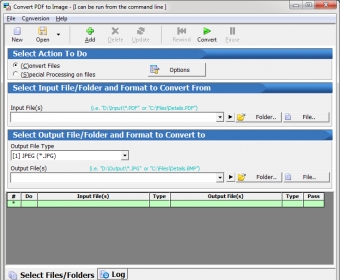
Both its steep license fee and its no-nonsense interface will tell you that this tool is not for the occasional PDF-to-image conversion in a home-user environment. This powerful utility has been created to save companies valuable working time by providing a high level of flexibility, a comprehensive job scheduler, and even command-line support.
The beauty of this tool lies not in its interface, but in its ability to save complex conversion jobs for you to re-use later. You can design your own conversion jobs putting together files from all corners of your drives, define the pages you wish to convert, assign different output formats to different jobs, combine various tasks on a single job, save it, and re-schedule it for later if needed. Alternatively, you can add a couple of external tasks to your jobs, such as moving or deleting the PDF files after conversion or the possibility of launching a third-party program when the job is done.
Convert PDF To Image is both powerful and efficient. It offers you a straightforward approach centred on productivity. To make this tool cost-effective, though, make sure that the volume of PDF-to-image conversions that you or your company need goes way beyond the occasional conversion task.






Comments (1)